All Workout: The Free Workout App for Android TV and Phone
Most home workouts happen on a phone propped against a water bottle. You glance down mid-squat, lose count, tap the screen with sweaty fingers and wonder whether your knees are supposed to look like that. A workout app for Android TV fixes the obvious part of that problem: the demo moves to the biggest screen in the house, where you can actually see it from your mat.
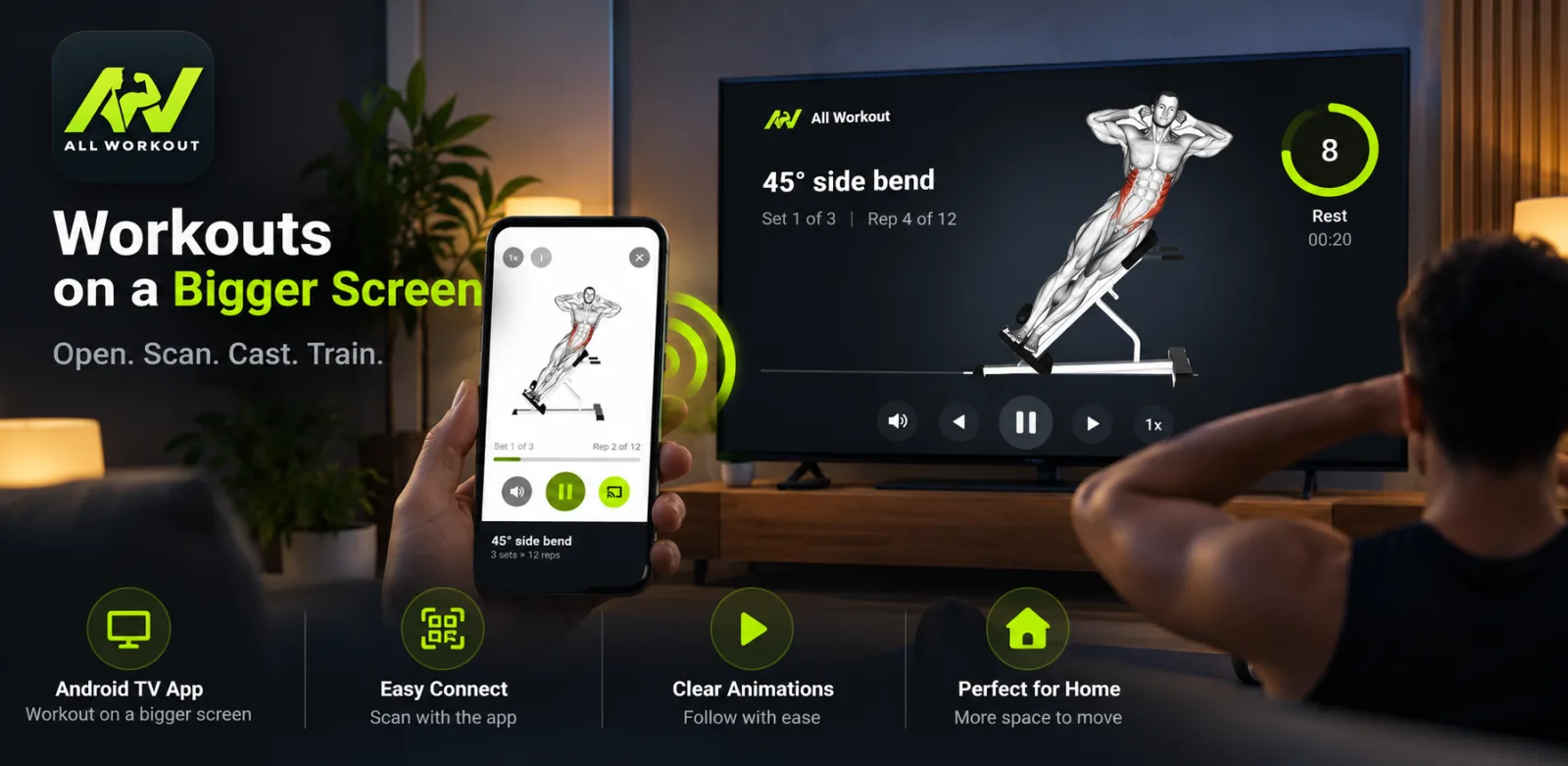
All Workout is our take on that idea. It is two free Android apps that work as one: All Workout on your phone and All Workout TV on your Android TV or Google TV. The TV plays clear, animated exercise demos you can follow from across the room. The phone is the remote, and it quietly remembers every set, rep and weight. No account, no sign-up, no Chromecast and no cables.
This guide walks through everything the apps do, what they deliberately don't do, and who will get the most out of them.
Key takeaways
- All Workout pairs a phone app with an Android TV / Google TV app: big animated demos on the TV, sets, reps and weights tracked on the phone.
- It is free, needs no account, and the library, plans and animations are cached on the phone so you can train offline.
- You get 1,324 animated exercise demos, 6 ready-made plans, a two-question plan builder and your own custom plans.
- The guided player has a rep counter, rest countdown, sound cues and playback from 0.2× to 2× speed for learning form.
- It is Android only, and it uses animated demos rather than video trainers or live classes.
Why a workout app for Android TV makes home training easier
A phone is a great tracker and a poor coach. The screen is small, it sits at floor level, and every exercise that takes you away from it (lying on your back, facing sideways, stepping back for a lunge) means you stop watching the demo exactly when you need it.
A TV turns that around. It is already at eye level in most living rooms, it is big enough to read from three metres away, and it stays put while you move. Putting the demo there and keeping the phone in your hand for counting and logging gives each screen the job it is good at.
See the form clearly
A large animated demo shows the full movement path, so you can match your hips, elbows and knees without crouching over a phone.
Stop counting in your head
Set and rep counters on the TV keep track for you, with a rep-tick sound and an on-screen rest countdown.
Phone stays useful
Your phone becomes the remote and the logbook, not a tiny screen you keep picking up off the floor.
Easier to train together
Two people can follow the same demo on the TV instead of sharing one phone screen.
Two apps, one workout: how the phone and TV work together
The setup is short enough to fit on the box: Open. Scan. Cast. Train. You install All Workout on your Android phone and All Workout TV on the television, then pair them once per session.
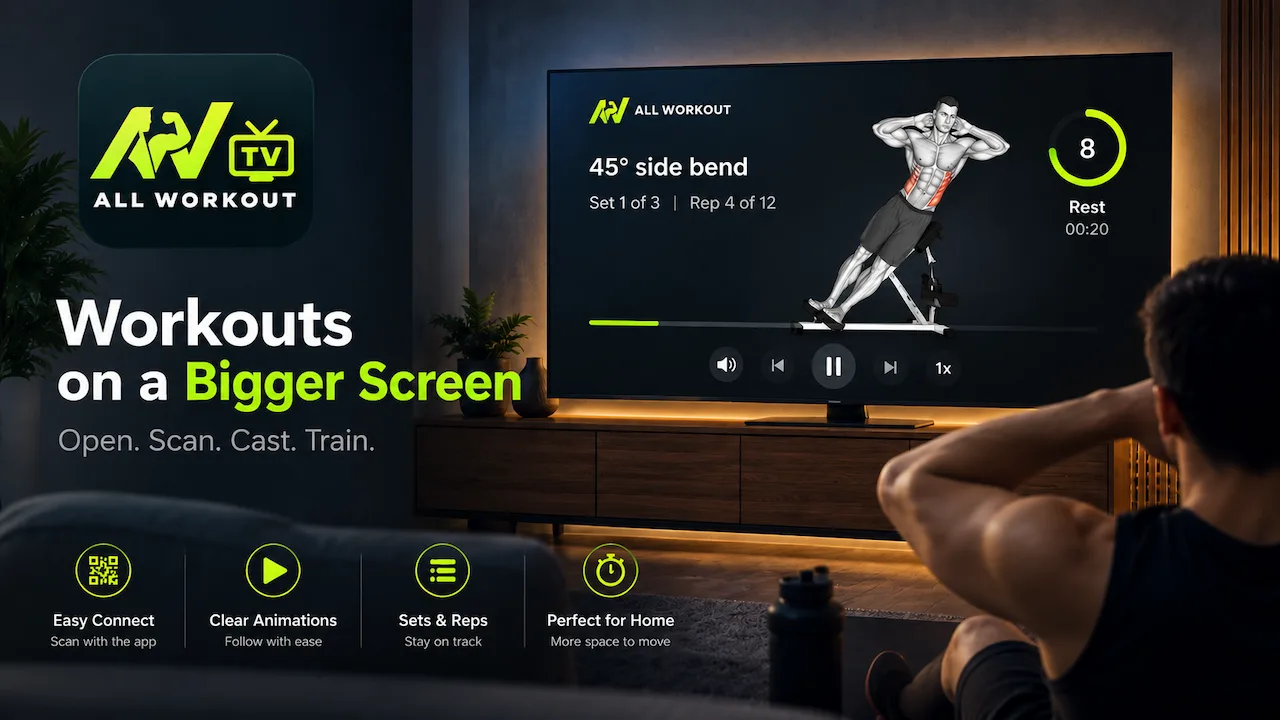
- Open All Workout TV. The TV shows a QR code and a six-letter code.
- Scan or type. In the phone app, tap Cast to TV and scan the QR, or type the six-letter code instead.
- Start a workout on the phone. Pick a plan or a single exercise and press Play on TV.
- Train. The TV shows the demo, counters and rest timer. You control everything from the phone.
Under the hood, the two apps talk directly over the internet through a pairing session. That is why you don't need a Chromecast, an HDMI cable, or to sign both devices into the same account. If you want the detailed version with troubleshooting and room-setup tips, our casting tutorial is on the All Workout guides page.
Good to know: the workout content is cached on your phone, so the phone app works offline. Pairing with the TV happens over the internet, so keep both the phone and the TV connected when you want to train on the big screen.
The 1,324-exercise library
The library is the backbone of the app: 1,324 animated exercise demonstrations, each one a short looping animation that shows the movement from start to finish. You can search by name or narrow things down with two sets of filters.
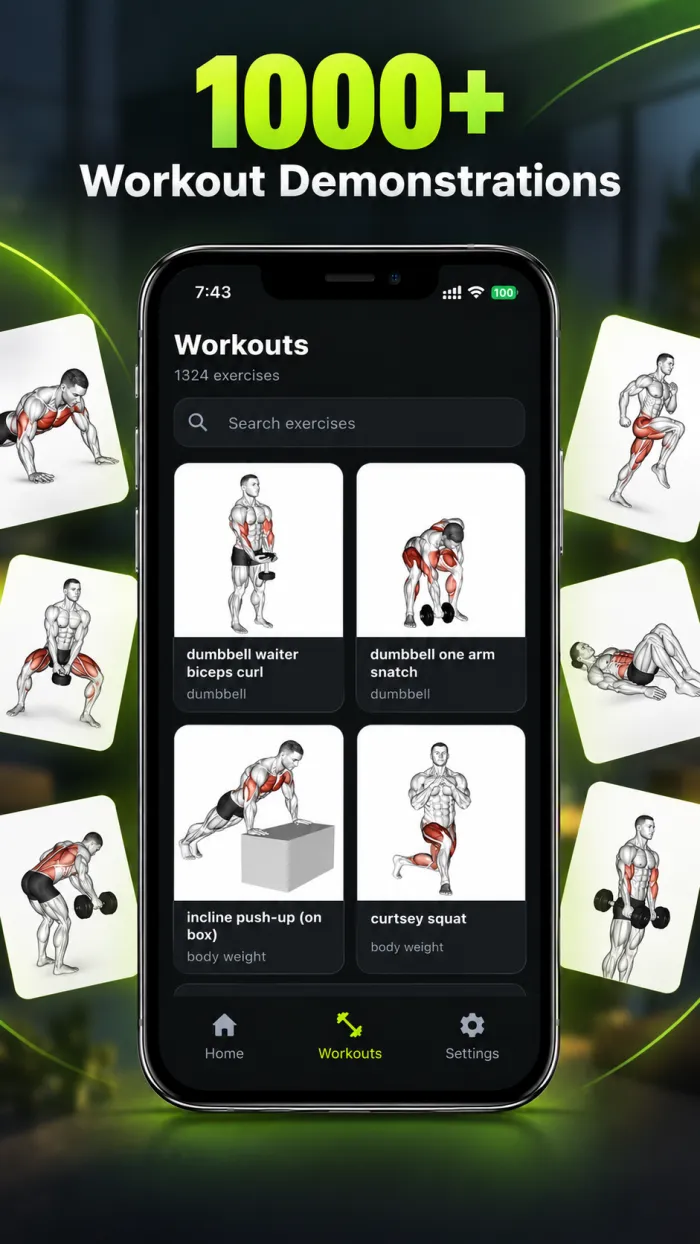
By body part: back, cardio, chest, lower arms, lower legs, neck, shoulders, upper arms, upper legs and waist.
By equipment: body weight, dumbbell, kettlebell, band and resistance band, barbell, EZ barbell, cable, Smith machine, leverage machine, medicine ball, stability ball, bosu ball, roller, rope, assisted machines and more.
The equipment filter matters more than it sounds. If all you own is a pair of dumbbells and a resistance band, you can tick those and ignore the rest of the library. If you train at home some days and in a gym on others, the same app covers both without changing how you log.
Six ready-made plans and a two-question plan builder
Choosing exercises is where most people stall, so the app gives you three ways to get a plan.


1. Ready-made plans
- Full Body (Beginner, 3 times a week)
- Push/Pull/Legs (Intermediate)
- Upper/Lower Split (Intermediate)
- Body-Part Split (Advanced, 5 days, with separate chest, back, leg and shoulder days)
- Bodyweight, No Equipment (all levels)
- Core & Abs (all levels)
2. Create My Plan
Answer two questions, your goal (General Fitness, Build Muscle, Lose Fat or Get Stronger) and your experience (Beginner, Intermediate or Advanced), and the app builds a plan of up to eight exercises, one per muscle group. The sets and reps follow a simplified version of the NASM OPT model, which moves through four training phases:
| Phase | Sets × reps | What it trains |
|---|---|---|
| Stabilisation Endurance | 3 × 16 | Control, balance and joint stability with lighter loads |
| Strength Endurance | 3 × 12 | Holding good form under more work |
| Muscular Development | 4 × 10 | Muscle size, classic hypertrophy range |
| Maximal Strength | 4 × 6 | Heavier loads, fewer reps |
Beginners always start in Stabilisation Endurance. That is a sensible default: higher reps with manageable loads give tendons and technique time to catch up with enthusiasm.
3. My Plans
Build your own plan from any of the 1,324 exercises and set the sets and reps for each one. Useful if a physio has given you a specific routine, or if you already know what you like and just want a better way to follow and log it.
The guided player, on the phone and the TV
Once you press start, the guided player takes over. On the phone you see a large animated demo, a set and rep counter, and a rest countdown between sets, with sound cues so you don't need to watch the screen. A playback speed control runs from 0.2× to 2×. Slowing a new movement to half speed is one of the most practical form tools in the app.
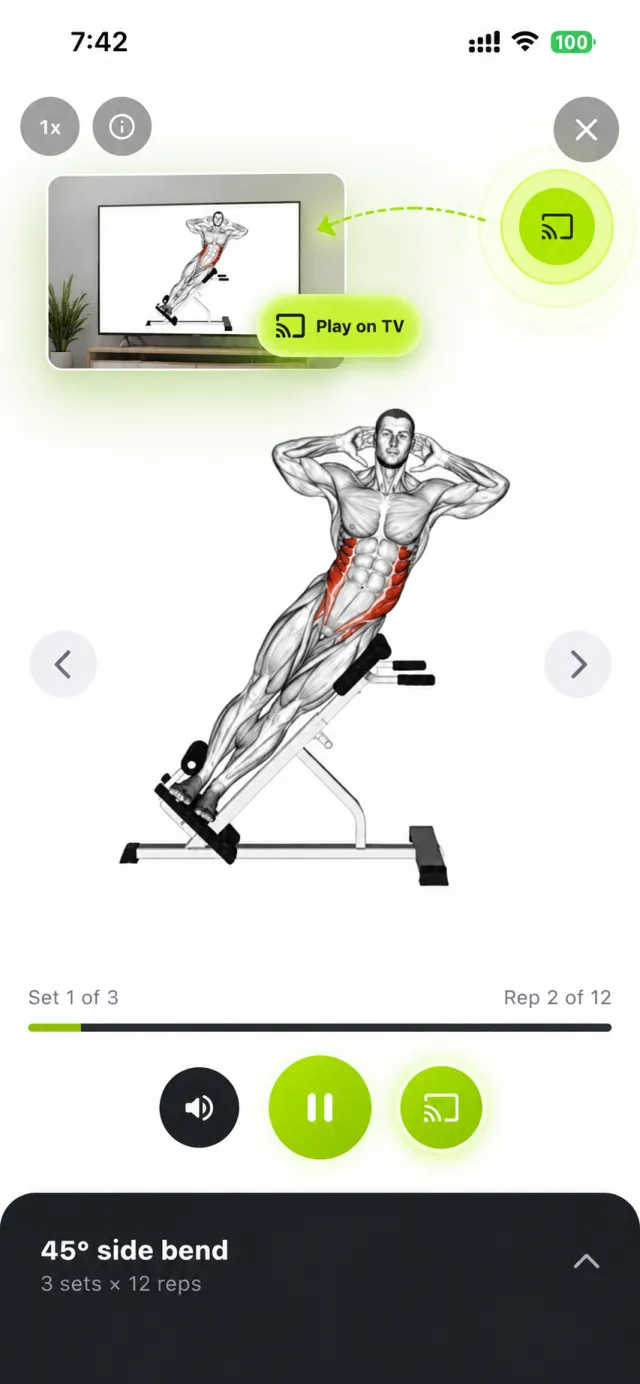
Cast it to the TV and the big screen shows:
- The large animated demo, readable from your mat
- Set and rep counters
- An on-screen rest countdown between sets
- Rep-tick and rest audio cues
- A "How to do it" panel with form cues
- The target muscles for the exercise
- A theme picker so the display suits your room
On the phone, you can switch between two themes: Classic (dark with lime accents) and Original (light with purple). Instructions are available in ten languages: English, Spanish, Italian, Turkish, Russian, Chinese, Hindi, Polish, Korean and French.
Logging weights and getting progress nudges
Following a workout is half the job. The other half is remembering what you did so next week can be slightly harder. All Workout handles that on the phone:
- Weight log: record kg or lbs for each set, plus notes ("left knee felt tight", "use the heavier band").
- Pre-filled weights: next time you do the exercise, last session's weights are already filled in.
- Progressive overload suggestion: complete all your sets for three sessions in a row and the app suggests more reps, for example moving from 12 to 14.
- History, Continue and Replay: pick up an unfinished session or repeat a past workout exactly.
There is also an energy estimate based on your profile. It calculates your BMR and TDEE using the Mifflin-St Jeor equation, which gives you a rough daily calorie figure to plan meals around. Treat it as a starting estimate, not a prescription.
Free workout app, no sign-up: what that actually means
"Free" and "no account" are easy claims to make, so here is exactly what they mean in practice.
- Free: both apps are free to download and use. There is no subscription or paywall inside.
- No sign-up: you never create an account or log in, on the phone or the TV.
- Stays on your device: your profile, plans and history are stored on the phone. Only anonymous crash and analytics data leaves it.
- Offline: the library, plans and animations are cached on the device, so you can train with flight mode on. You only need the internet to pair with the TV.
- Reminders: optional daily reminders in the morning, evening or night.
Because nothing is tied to an account, keep in mind that your history lives on that phone. If you switch phones, your old logs don't follow you automatically.
All Workout vs YouTube workouts vs subscription fitness apps
Most people trying a home workout app on TV are choosing between three things. Each has real strengths, so here is a fair, feature-level comparison.
| Feature | All Workout (phone + TV) | YouTube workout videos | Typical subscription fitness apps |
|---|---|---|---|
| Cost | Free | Free with ads, or paid ad-free | Usually a monthly or yearly fee |
| Account needed | No | Not to watch | Usually yes |
| Big-screen viewing | Android TV / Google TV app, paired by QR or code | TV app or casting | Varies by app and TV |
| Instruction style | Animated demos with form cues | Real trainers, follow-along videos | Often trainer videos and classes |
| Logs your sets, reps and weights | Yes, with last weights pre-filled | No | Often |
| Progression suggestions | Suggests more reps after 3 complete sessions | No | Varies |
| Works offline | Yes (except TV pairing) | Only with downloads | Varies |
| Build your own routine | Yes, from 1,324 exercises | You assemble playlists | Sometimes |
| Platforms | Android phone, Android TV / Google TV | Almost everything | Often iPhone and Android |
If you love the energy of a real instructor counting you through a 30-minute session, YouTube is hard to beat and costs nothing. Subscription apps make sense if you want polished trainer-led classes or integrations with other devices. All Workout fits the space in between: structured plans and a proper log, demos on the TV, no cost and no account. Plenty of people use it alongside the occasional YouTube class.
Who All Workout suits (and who it doesn't)

Beginners at home
The Full Body plan, slow-motion demos and a PAR-Q safety check during onboarding make it a gentle start.
Dumbbell and band owners
Filter by your equipment, log weights per set and let the app nudge your reps up over time.
Privacy-minded people
No account, and your profile and history stay on your phone.
Non-English speakers
Instructions in ten languages, including Hindi, Spanish, Chinese and French.
In short, it is a workout app for Android TV aimed at people who want structure and a proper log more than entertainment. It is not the right fit if you use an iPhone (there is no iOS version), want smartwatch or wearable sync, prefer live or video-led classes, or are looking for diet plans. It is also built for home training, not as a system for running a gym.
Your first session in about ten minutes
- Install both apps. All Workout from Google Play on your phone, and All Workout TV from Google Play on your Android TV or Google TV.
- Complete onboarding. Enter gender, age, height and weight, choose your language, and answer the PAR-Q safety questions. If the questionnaire flags anything, speak to your doctor before starting.
- Pick a plan. New to training? Start with Full Body or Bodyweight. Short on time? Core & Abs. Unsure? Use Create My Plan.
- Clear some floor space. A mat-sized area with room to step back and raise your arms is enough for most exercises.
- Pair and press play. Open the TV app, scan the code from the phone, and start the first exercise. Watch one full rep at 0.5× before you try it.
- Log honestly. Record what you actually lifted. Next session, the app fills it in for you.
Pro tip: set a daily reminder for the time you realistically train, not the time you wish you trained. A 7 pm reminder you act on beats a 6 am one you snooze.
Final thoughts
All Workout does one thing well: it puts clear exercise demos on your TV and keeps an accurate record of your training on your phone, without asking for money, an account or extra hardware. It won't replace a coach or a lively instructor-led class, and it doesn't try to.
If you have been looking for a workout app for Android TV that doesn't need a subscription or another gadget, this is worth a try. With an Android phone and an Android TV or Google TV, the fastest way to judge it is to try one Full Body session tonight. You will know within twenty minutes whether training on the big screen suits you. More plans and tips live on our home workout page.
Frequently asked questions
Is there a free workout app for Android TV?
Yes. All Workout TV is a free app for Android TV and Google TV that pairs with the free All Workout phone app. The TV shows large animated exercise demos with set and rep counters and a rest countdown, while the phone controls the session and logs your sets, reps and weights. There is no subscription and no account to create.
Do I need a Chromecast or HDMI cable to use All Workout on my TV?
No. You install All Workout TV from Google Play on your Android TV or Google TV, then pair it with the phone app by scanning a QR code on the TV or typing a six-letter code. The two apps connect directly over the internet through a pairing session, so no Chromecast, cable or shared login is needed.
Does All Workout work on iPhone or Samsung TVs?
Not at the moment. All Workout is Android only: the phone app runs on Android phones and tablets, and the TV app runs on Android TV and Google TV, which includes many smart TVs and Android TV boxes or sticks. There is no iPhone app, so check that your phone and TV run Android before you start.
Can I use All Workout without an internet connection?
Yes, on the phone. The exercise library, plans and animations are cached on the device, so you can follow workouts and log sets offline. Casting to the TV is different: the phone and TV pair over the internet, so both need to be connected when you want the demos on the big screen.
Is All Workout good for beginners?
It was built with beginners in mind. Onboarding includes a PAR-Q safety questionnaire that flags when you should check with a doctor first, the Full Body plan is designed for beginners three times a week, and Create My Plan always starts beginners in the gentler Stabilisation Endurance phase. You can also slow demos down to 0.2× speed to learn form.
Does All Workout store my data in the cloud?
No account is involved, so there is no cloud profile. Your profile, plans and workout history stay on your phone, and only anonymous crash and analytics data is collected. The trade-off is that your history belongs to that device, so it will not appear automatically if you move to a new phone.
Train on the big screen. Track from your pocket.
Install All Workout on your Android phone and All Workout TV on your Android TV or Google TV. Free, no sign-up, ready in minutes.
Get All Workout (phone)Get All Workout TV
Join the conversation